24th July, 2026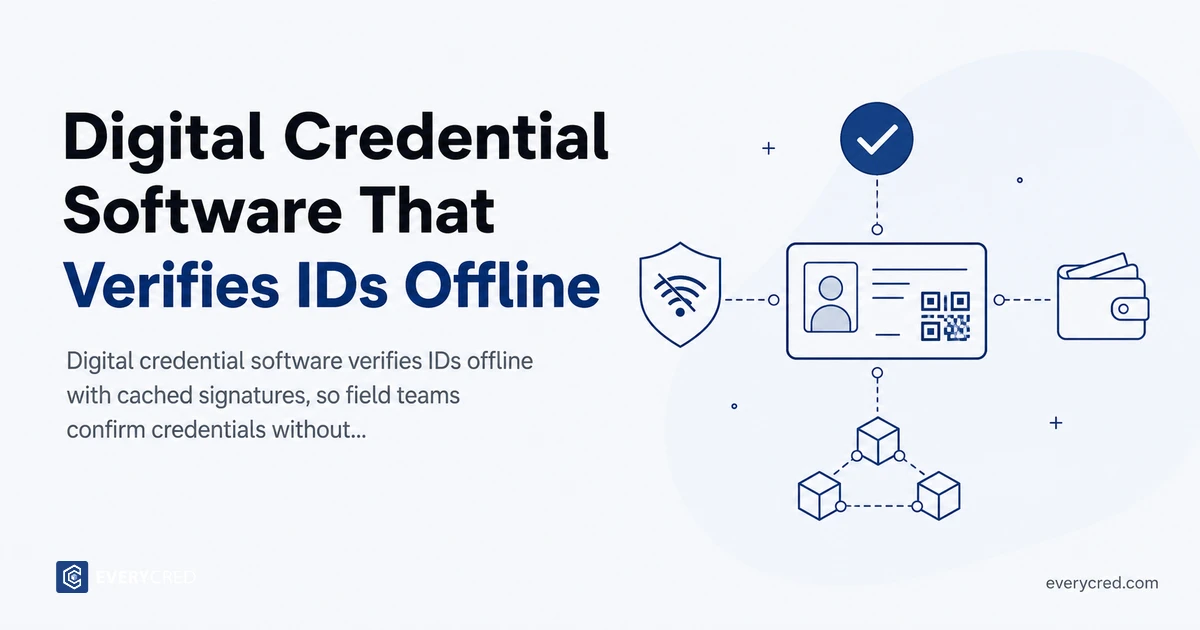
- How Offline Credential Verification Actually Works
- Why Online-Only Digital Credential Software Fails in the Field
- Where Offline Field Verification Matters Most
- What to Look for in Digital Credential Software Built for Offline Use
- Handling Revocation and Trust in a Cached Signatures Model
- Deploy Offline Field Verification with EveryCRED
- Conclusion
- FAQs


Digital credential software verifies credentials offline by checking a cryptographic signature stored inside the credential itself. It uses an issuer public key and revocation data cached on the device. No internet connection is required at the moment of the check. This matters for field teams working at remote sites, border crossings, and disaster zones, where connectivity is often poor or absent. Online-only systems fail at the exact moment a verification is needed most. This guide explains how offline verification works and its applications across public safety and government operations. It also highlights what to look for when evaluating digital credential software for field use. The guide covers how cached signatures handle revocation, and how agencies keep trust current without a live connection.
Key Takeaways
- Offline verification checks a credential’s cryptographic signature against a cached issuer public key, so no network call is needed at the point of check.
- Cached signatures and a synced revocation list let field officers confirm a credential in seconds, even with zero connectivity.
- Raigad Police field officers used offline verification with cached cryptographic signatures in 2025, cutting verification time from 30 minutes to under 10 seconds.
- The main tradeoff is revocation freshness: cached status data is only as current as the last device sync, so agencies set a sync cadence matched to risk.
- Field-ready digital credential software needs W3C VC 2.0 support, QR or NFC capture, and offline-first design for reliable field verification.
How Offline Credential Verification Actually Works
A verifiable credential carries its own proof. When an issuer creates a credential, it signs the data with a private key. The matching public key lives in the issuer’s decentralized identifier (DID) document, published under the W3C Verifiable Credentials Data Model. Verification means checking that the signature, not calling a database.
Offline verification works because the device already holds what it needs. Before going into the field, the verifier app syncs two things. It downloads the trust list of issuer public keys and a snapshot of the revocation status list. After that, the check runs locally.
Here is the sequence a field officer follows:
- The holder presents a credential as a QR code or NFC tap.
- The device reads the credential data and its signature directly from the presentation.
- The software recomputes the cryptographic hash and checks it against the cached issuer public key.
- It checks the credential identifier against the cached revocation list.
- It returns a valid or invalid result, usually in seconds.
No step in this sequence needs a network connection. The cached signatures and cached trust data carry the full weight of the check. This is the line between digital credential software built for the field and software built for a desk. The field version never assumes a live server is one tap away.
Why Online-Only Digital Credential Software Fails in the Field
Most digital credential software assumes constant connectivity. It verifies by calling a central database or pulling a document from a cloud repository. That model works at a desk. It breaks in the field.
Connectivity is not guaranteed where public safety and government work happen. A border checkpoint can sit miles from the nearest tower. A wildfire staging area may have no signal at all. A rural benefits officer may cover a territory where coverage drops for hours. In each case, an online-only check returns nothing, and the officer falls back to paper.
The failure is worse than an inconvenience. Online-only systems fail exactly when the stakes are highest, at the physical point of contact. An officer who cannot verify a credential either waves someone through unverified or holds up a legitimate person. Both outcomes carry real costs.
Offline verification removes this dependency. When the check runs against cached signatures on the device, the signal no longer decides whether the verification happens. Agencies that adopt offline credential verification treat connectivity as a convenience for syncing, not a requirement for operating.
Where Offline Field Verification Matters Most
Offline field verification applies anywhere the check has to happen away from reliable infrastructure. Four settings show up repeatedly in government and public safety operations.
Remote and rural sites. Officers running eligibility checks, inspections, or access control across a wide territory cannot depend on coverage. Offline verification lets them confirm identity at the site, not back at the office hours later.
Border and checkpoint operations. Fixed and mobile checkpoints often sit outside dependable network range. A checkpoint team needs to verify a credential in seconds, repeatedly, without waiting for a round trip to a server.
Disaster and emergency response. When infrastructure is down, responders still need to confirm who is a credentialed medic, engineer, or official entering a restricted zone. Offline verification works when the network does not.
Field law enforcement. Officer identity checks and access to secure scenes need to be resolved on the spot. EveryCRED’s law enforcement deployments show this pattern, with QR-based checks completing without a connection.
What to Look for in Digital Credential Software Built for Offline Use
Not every platform that issues credentials can verify them offline. When you evaluate digital credential software for field use, these capabilities separate field-ready tools from desk-bound ones.
- Offline-first verification: The check must run entirely from cached signatures and a cached trust list, with no hidden fallback that requires a connection.
- W3C VC 2.0 and DID support: Open standards mean the issuer’s public key resolves from the credential itself, which makes offline checks portable.
- QR and NFC capture: Field verification depends on reading the credential from the holder, not from a lookup. Both formats should run on standard mobile hardware.
- Cached revocation status: The software must carry a recent status list on the device and check every credential against it.
- Controlled sync cadence: Administrators should set how often devices refresh trust and revocation data when connectivity returns.
- REST API integration: A REST API should connect the credential layer to existing systems without front-end changes.
EveryCRED is credential software for agencies that meets these criteria. It offers offline verification, W3C VC 2.0 support, and integration built for existing government systems.
Handling Revocation and Trust in a Cached Signatures Model
Offline verification raises a fair question. If the device is not connected, how does it know a credential was not revoked an hour ago? This is the real engineering tradeoff, and honest evaluation means facing it directly.
The answer is the cached revocation list. Each device holds a status list downloaded at its last sync. Every offline check tests the credentials against that list. A credential revoked before the last sync fails immediately, even with no connection.
The limit is freshness. A credential revoked after the last sync still passes until the device updates. Agencies manage this by setting a sync cadence matched to risk. High-sensitivity operations sync more often, sometimes at the start of every shift. Lower-risk checks tolerate a longer window.
Cached signatures themselves do not expire this way. A cryptographic signature is either valid or altered, and that math holds offline. Only revocation depends on recency, which is why sync policy belongs in every field verification rollout plan.
Deploy Offline Field Verification with EveryCRED
We built EveryCRED for verification that holds up where connectivity does not. Field officers verify credentials from cached cryptographic signatures on the device, with no network call at the point of check. We deployed this approach operationally for Raigad Police field officers in 2025. The system supports W3C VC 2.0, QR and NFC capture, and REST API integration with existing agency systems. US government and public safety agencies can procure through Carahsoft on NASA SEWP V and ITES-SW2. No new competitive bid is required. Book a demo to see offline field verification run live.
Conclusion
Connectivity should never decide whether a credential can be trusted. Offline verification moves the check onto the device. There, a cached issuer public key and a synced revocation list do the work a server used to do. This shift matters for remote sites, border operations, disaster response, and field law enforcement. It is the difference between a verification that happens and one that does not.
The technology is proven, not theoretical. Cryptographic signatures verify the same way offline as online. Cached revocation data closes most of the gap when the sync policy is set with intent. When evaluating digital credential software, weigh offline capability as a core requirement, not a feature footnote. In the field, it is the requirement that matters most.
FAQs
How does digital credential software verify credentials without an internet connection?
It checks a credential’s cryptographic signature against an issuer’s public key and revocation list cached on the device, requiring no network.
What are cached signatures in offline verification?
Cached signatures are issuer public keys and credential proof data stored on a device in advance, letting it verify credentials offline.
Is offline field verification secure?
Yes. Cryptographic signatures cannot be forged offline, and cached revocation lists flag credentials revoked before the device’s last sync.
How current is revocation data during offline verification?
Revocation data is as current as the device’s last sync, so agencies set sync frequency based on how sensitive the check is.
Can government agencies buy offline digital credential software through existing contracts?
Yes. EveryCRED is available through Carahsoft on NASA SEWP V, ITES-SW2, and NASPO ValuePoint, avoiding a new procurement cycle.